Product Insight · Patch Cords

Fiber Patch Cord Line Schedule: How to Write LC/SC Orders Line by Line

A patch cord line schedule is a table with one row for each distinct patch cord configuration: connectors, polish, fiber, cable, length, labels, packing and quantity. It turns a vague request such as "LC patch cords, various lengths" into something a supplier can quote and build without guessing, and it gives both sides a reference for revisions, samples and delivery checks. This guide lists the columns to include, shows a worked LC/SC example and explains how to keep the schedule under revision control.

Published 2026-07-30 · Updated 2026-11-10 · By the Lumafyn Technical Team

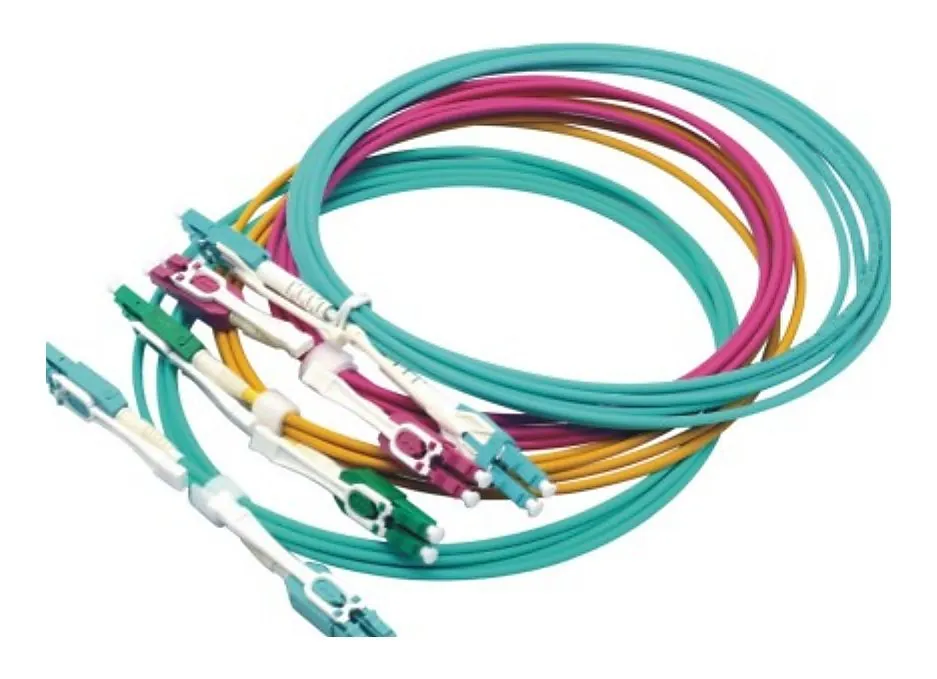
Coiled fiber optic patch cords with duplex connectors

Why One Row per Configuration

A line changes whenever any physical property changes: a different connector, polish, fiber grade, diameter, jacket, color, length, label or packing rule. Writing each as its own row has three effects. Quotes from different suppliers can be compared line by line. Production builds exactly what is listed. And at delivery, cartons, labels and test records can be matched to the row they belong to.

Columns to Include

Patch cord line schedule columns
ColumnWhat to write
Line IDYour SKU or a stable line number, reused in every revision
End A / End BLC, SC, FC, ST or MTP/MPO, simplex or duplex
PolishUPC or APC for each end
FiberOS2, OM3, OM4, OM5, or a fiber standard such as G.657.A1
CableDiameter, jacket material or rating, color
LengthOne length per row, with tolerance if critical
PolarityA-to-B for duplex unless your design says otherwise
LabelText, type (flag, wrap, heat-shrink) and position
PackingBag, coil size, carton grouping, carton marks
QuantityPer row, not per family
NotesReference SKU, drawing or sample photo
LC uniboot duplex fiber patch cord connectors

Worked LC/SC Example

Example patch cord line schedule
LineConfigurationLabel and packingQty
PC-01LC/UPC–LC/UPC duplex, OM4, 2.0 mm LSZH aqua, 3 mBuyer SKU flag label both ends, individual bag200
PC-02SC/APC–SC/APC simplex, OS2 G.657.A1, 2.0 mm LSZH yellow, 5 mBag label with line ID, carton of 100300
PC-03LC/UPC–SC/UPC duplex, OS2, 2.0 mm LSZH yellow, 10 mHeat-shrink label with port ID both ends80
PC-04LC/APC–LC/APC duplex, OS2, 1.6 mm LSZH yellow, 1 mIndividual bag, mixed carton with PC-03120

Each row can be quoted and built on its own. Note that PC-03 and PC-04 share a carton: packing rules that span rows belong in the notes of both rows.

Labels and Packing in the Schedule

  • Label text. Give the exact text, or the rule that generates it, for example line ID plus port pair.
  • Label type and position. Flag labels near the boot are easy to read; heat-shrink sleeves survive handling better.
  • Bag and coil. Individual bags, coil diameter and whether dust caps must stay on.
  • Carton marks. Line ID, quantity, destination and any barcode format your warehouse uses.
  • Mixed cartons. State which lines may share a carton and how they are separated inside.

For deeper packing and labeling rules, see the patch cord packing and label guide.

Revision Control

  1. Version the file. Put a revision letter and date in the file name and in the header.
  2. Keep line IDs stable. Change the content of a row, never its ID; add new rows for new configurations.
  3. Log changes. A short change log listing row, field, old value and new value saves long email threads.
  4. Confirm the revision. The quotation, sample approval and order should all cite the same revision.

Samples and First-Article Approval

For a new configuration or a new supplier, approve a sample before volume production. Order one or two pieces per new row, check connectors, polish, length, labels and packing against the schedule, and test insertion and return loss on your own equipment. Record the approval against the row and the schedule revision. Later orders can then cite the approved row instead of repeating every detail, and any change to that row triggers a new sample.

Common Line Schedule Mistakes

  • Lengths listed in one cell for a whole family ("1, 2, 3, 5 m").
  • Connector named without polish.
  • Color used instead of fiber grade.
  • Label and packing rules sent in a separate email and lost.
  • Edited quantities without a new revision.

FAQ

Patch Cord Line Schedule FAQ

What is a patch cord line schedule?

A table with one row per patch cord configuration, listing connectors, polish, fiber, cable, length, polarity, labels, packing and quantity.

Do different lengths need separate lines?

Yes. Each length is a separate configuration with its own quantity, label and packing.

Which file format should I use?

Any spreadsheet or CSV works. Keep one row per configuration and add a revision letter and date.

Can I send an old supplier SKU instead of a schedule?

Send it with a photo and label of the sample, but still list the fields; SKUs differ between suppliers.

How do you use the schedule after ordering?

Line IDs are carried onto labels, test records and packing lists, so each delivered carton can be checked against its row.

Get a Quote