
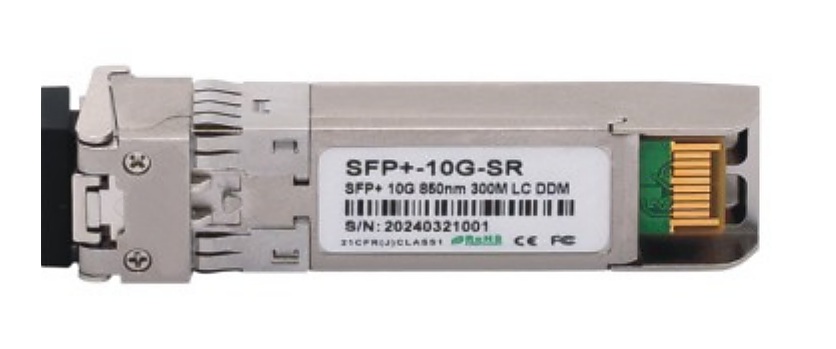
Start with the Link and Equipment Context
An AOC, DAC cable or optical transceiver line is easier to assess when the buyer describes the link it must complete. Identify the two endpoints, the relevant switch or server model, the required speed and the requested reach. For a cable, the individual length belongs on the same line. For a module, state the interface and link context instead of relying on a generic product name.
Lumafyn supports project-based sourcing for optical transceivers, AOC and DAC cables used in switch, server and short-reach data center interconnect projects. The product page lists 10G and 40G project-based options; for any RFQ, compatibility and application details should be confirmed before quotation.
Choose the Correct RFQ Line Type
Keep product types separate even when they appear in the same rack or procurement list. This avoids attaching a cable length to a module requirement or losing the endpoint details that distinguish one connection from another.
Copyable AOC, DAC Cable and Transceiver RFQ Checklist
- Product type for each line: optical transceiver, AOC cable or DAC cable
- Switch, server or other host equipment brand and exact model at each endpoint
- Required speed and the intended application or link role
- Required reach; for cables, the fixed length needed for that individual line
- Connector or port/interface requirement as stated by the equipment or project BOM
- Quantity, endpoint/rack/port reference and any attached port map
- Related MTP/MPO, patch panel or patch-cord line when it forms part of the same cabling path
- Drawing or BOM revision, packing requirement and destination country
Common Errors That Delay a Comparable Quote
- Requesting a “10G module” without the host model, interface or required reach.
- Listing a DAC or AOC only by speed while omitting the exact cable length and endpoint equipment.
- Using one generic interconnect line for several racks, port groups or unequal lengths.
- Mixing optical module and cable requirements without identifying which connection each item serves.
- Leaving out a port map, rack reference or BOM revision when the project has multiple similar links.
- Assuming a product family name alone proves compatibility with the connected equipment.
Build an Interconnect BOM Around Connection Paths
For a data center expansion, use a simple connection identifier on every line: for example, source rack/port, destination rack/port and the associated equipment reference. This makes it easier to compare scope across suppliers without claiming a particular network design. When the project also contains structured fiber cabling, keep that context visible rather than treating active interconnects as unrelated purchases.
- Active interconnect line: AOC, DAC or transceiver with its host, speed, reach and endpoint reference.
- High-density fiber line: MTP/MPO trunk or harness requirements where they feed the relevant area.
- Panel line: MPO module box, patch panel or ODF details when part of the channel.
- Patch line: fiber patch cords only where they complete the stated connection path.