
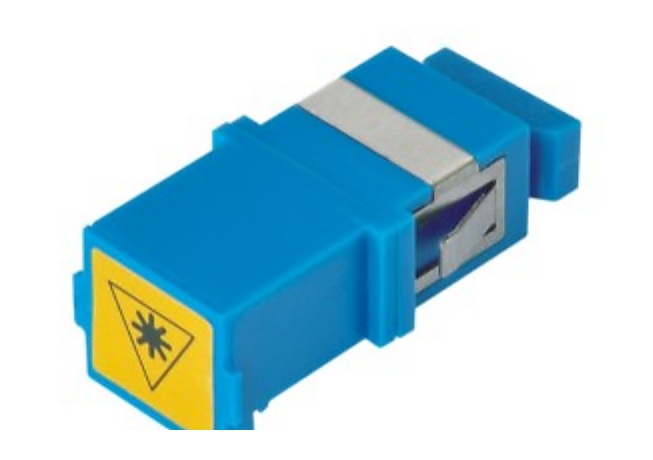
Why “Fast Connector” Is Not Yet a Quote-Ready Specification
Current public product language commonly pairs field-installable connector, SC/APC fast connector and FTTH drop-cable termination. That language is useful for search, but it does not define a compatible project line item on its own. The buyer still needs to identify the connector interface and polish, the cable being terminated, the intended installation point and the quantity structure.
This page supports Lumafyn’s FTTH fast connector supplier page and strengthens the broader FTTH ODN product supplier path. Use it when you need to compare a bulk connector order with an FTTH accessory kit or a connected access-network BOM.
Specification Checklist: Match the Connector Before Pricing the Kit
Build the RFQ in Three Groups
1. The termination line
Start with the fast connector as its own line: interface, polish, cable match, fiber type if specified, and quantity. A practical SC/APC fast connector RFQ should make it possible to distinguish the connector from a finished patch cord or from a pre-terminated drop cable assembly.
2. The installation accessory lines
Then list each required sleeve, clamp, hook, adapter, small tool or terminal accessory as a separate line. Avoid a bare request for “installation accessories,” because the contents of an FTTH accessory kit vary with the installation method and the buyer’s existing tools.
3. The connected FTTH BOM
If the project needs passive components beyond the installation point, show their relationship instead of requesting unrelated categories in one vague list. For example, link the connector to the FTTH drop cable supplier requirement, then identify any fiber optic adapter supplier line, terminal hardware, pigtails or a PLC splitter supplier line that belongs to the same phase.
Four Common RFQ Errors
- Mixing connector types and polish terms: write the interface and polish explicitly instead of treating “APC” as a complete connector specification.
- Leaving out the cable match: a connector request must identify the drop cable or provide a reference so the field termination need can be reviewed.
- Calling every item a kit: specify whether the buyer wants bulk stock, a defined kit per installation point, or both.
- Separating connected products into disconnected quotes: include the related cable, adapters and accessories in one BOM when the project needs compatibility review across those line items.