
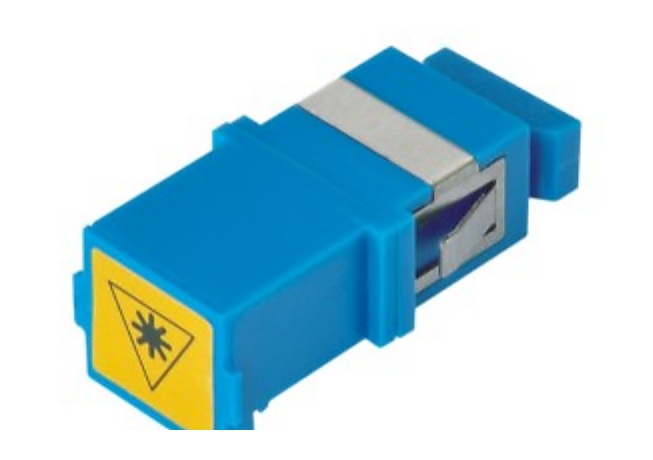
Start With Both Sides of the Connection
An adapter joins two interfaces at a panel, ODF, terminal box, closure or equipment connection point. A useful RFQ starts by recording what each side must accept. For a standard line, that may be SC, LC, FC or ST. For a hybrid adapter, record both connector sides in the same line item, rather than leaving one side implied in a drawing note.
Then add the actual project context. The same connector family can be requested in different body formats or used at different installation points. Naming the panel, enclosure or connected equipment reference gives the supplier a basis to ask about missing details; it does not assume compatibility that the buyer has not confirmed.
Adapter Details to Put on Each BOM Line
Keep Standard, Hybrid and Fast-Connector Lines Separate
Mixed accessory orders are easier to review when each interface path has its own line. Standard SC or LC adapter lines can be grouped only when their interfaces, body format and application are the same. Hybrid adapters deserve their own entries because both sides must be visible. If the installation also needs field connectors, list them separately with their drop-cable and installation context rather than treating them as interchangeable with an adapter.
For FTTH work, the connection point may also involve a drop cable line, a terminal or distribution item, and fast connectors and accessories. For ODF work, the connected pigtails and panel hardware are often the useful references. Group these items in one RFQ package, but preserve one clear specification line for each product.
Common Mistakes That Make Adapter Quotes Hard to Compare
- Writing only “LC adapter” without a body format, installation point or quantity by line.
- Combining UPC and APC requirements without separating the related interfaces.
- Using “hybrid” as a generic label without naming both connector sides.
- Assuming an adapter sleeve requirement from a connector family name.
- Providing a panel capacity but not showing which adapter format or port arrangement it needs.
- Listing fast connectors, pigtails and adapters as one accessory line with no connection-path reference.
- Omitting packing, labels, destination or a drawing/model reference when those requirements affect the purchase request.
Copyable Fiber Optic Adapter RFQ Checklist
- One line per standard or hybrid adapter interface, with both sides named for every hybrid item
- Polish and fiber-mode requirements where applicable
- Simplex, duplex or quad body format and quantity by format
- Sleeve requirement, approved reference or drawing note where specified
- ODF, patch panel, terminal box, closure or equipment installation point
- Matching pigtail, patch cord, panel, drop-cable or fast-connector lines in the same BOM package
- Packing, label, destination-country and document-revision requirements