
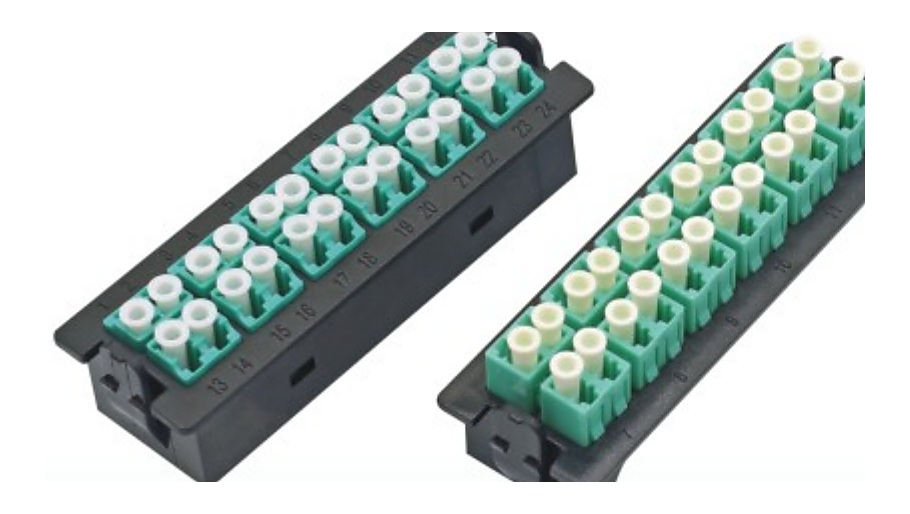
Why “Port Count” Alone Is Not Enough
Buyers often begin with a single number: the ports required. That is a useful start, but an ODF patch panel supplier also needs the role of those ports. A telecom room may need a termination point with splicing and pigtails; a data-center rack may need an adapter-panel or module interface; an expansion phase may require spare capacity and a clear labeling scheme. Treat the panel as part of a fiber path, not as an isolated enclosure.
Map Capacity, Active Ports and Growth Separately
Use three fields in the RFQ. First, state the current active-port requirement. Second, state the total termination capacity expected for the selected configuration, if your design defines one. Third, note whether unused positions are for a later phase, a spare route, or simply not required. This avoids an ambiguous request that mixes immediate demand with future planning.
- Installation point: telecom room, equipment room, data-center rack, cabinet, wall location or another project-defined position.
- Mounting and physical reference: rack, wall, cabinet or frame format; provide a drawing, rack reference or access constraint when available.
- Port role: splice termination, adapter presentation, module interface, cross-connect or another project-defined use.
- Fiber interface: connector family, polish where relevant, fiber type and the interface of any connected module or assembly.
- Maintenance path: cable entry direction, front/rear working access, labeling approach and cable-management notes.
Build the Connected BOM Before Asking for a Quote
A coherent ODF request names the items that meet at the panel. Link the panel line to fiber optic pigtails when splicing is part of the design, fiber optic adapters when an interface is presented on the panel, and fiber optic patch cords for equipment-side or cross-connect links. For high-density architecture, identify the MTP/MPO cable assembly supplier requirements and any module-box or cassette interface. If the distribution point is part of an access-network BOM, also attach the relevant PLC splitter supplier line.
Copyable ODF Panel RFQ Checklist
Common RFQ Errors to Avoid
- Using “ports” without a role: clarify whether the ports are for splicing, adapters, modules or a cross-connect path.
- Omitting access direction: a rack reference and cable-entry or working-side note can prevent a configuration mismatch.
- Quoting panel hardware separately from interfaces: pigtails, adapters, splice trays and connected assemblies determine whether the BOM is complete.
- Mixing present and future quantities: distinguish installed requirements from planned capacity rather than presenting one unexplained total.
- Leaving out drawing revisions: label the BOM or drawing revision so all parties review the same configuration.