
Build a Pigtail Schedule Around the ODF Connection Path
A pigtail is one part of an ODF termination path: it is spliced at one end and meets an adapter, panel or equipment-side connection at the other. A usable RFQ records that path without asking the supplier to infer the panel layout from a generic accessory name.
Start with the ODF, splice tray, terminal box or cabinet reference. Then separate pigtails by every configuration that changes: connector family, polish, fiber type, buffer, length, color requirement or quantity. This supports clear comparison while leaving project-specific engineering decisions with the buyer.
Line-by-Line Fields for an ODF Pigtail RFQ
How to Write the Color Requirement Without Ambiguity
“Twelve colors” can mean a requested sequence, a project drawing reference or simply a set count. Put the governing requirement in the same line as the connector and fiber details. If several sets have different connector or length requirements, make separate lines even if their color count is the same.
For a mixed ODF, link each pigtail line to its tray or panel reference. That creates a useful check between pigtail quantity, adapter ports and the expected installation points without claiming that any one layout is universal.
Related Hardware to Include in the Same BOM Review
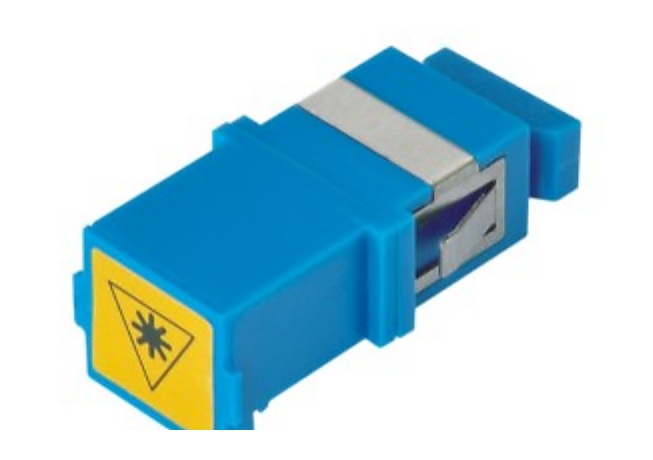
- Adapter lines: state connector family, port format and panel context for the matching fiber optic adapter supplier request.
- ODF or panel lines: include enclosure, tray or module reference when the pigtails are part of a wider ODF patch panel supplier BOM.
- Splitter and access lines: list PLC splitter, terminal or drop-cable items when the same project scope depends on them; do not merge unlike configurations into one pigtail row.
Common RFQ Mistakes That Create Rework
- Writing only “SC pigtail” without polish, fiber type, buffer or length.
- Using one total quantity for different connectors, colors or lengths.
- Calling for a color set without a sequence, project reference or installation context.
- Listing the adapter separately with no port-format or panel reference.
- Omitting the drawing or BOM revision when the pigtail schedule changed after the first inquiry.
Copyable RFQ Checklist
- ODF, splice tray, enclosure or cabinet reference
- Connector type and UPC/APC polish
- Fiber type, buffer diameter and pigtail length
- Color sequence, color requirement or linked drawing reference
- Quantity for each unique configuration
- Matching adapter, panel port and related hardware line
- Labels, packing, destination and current BOM revision