
Make the connection point visible before listing products
A project request that only lists “drop cable, splitter and ODF” leaves the relationship between lines unclear. For an FTTH ODN product supplier RFQ, first name the buyer-controlled handoff that each line serves: for example, a route section, distribution location, panel position, termination point or installation kit reference. This is not a request for the supplier to design the network; it is a way to keep the buyer’s own scope intelligible during quotation review.
Then give every item its own line ID and current BOM or drawing revision. A connected BOM can show related lines together while allowing each product configuration to remain specific.
Use an interface-handoff ledger
Keep the BOM connected, not blended
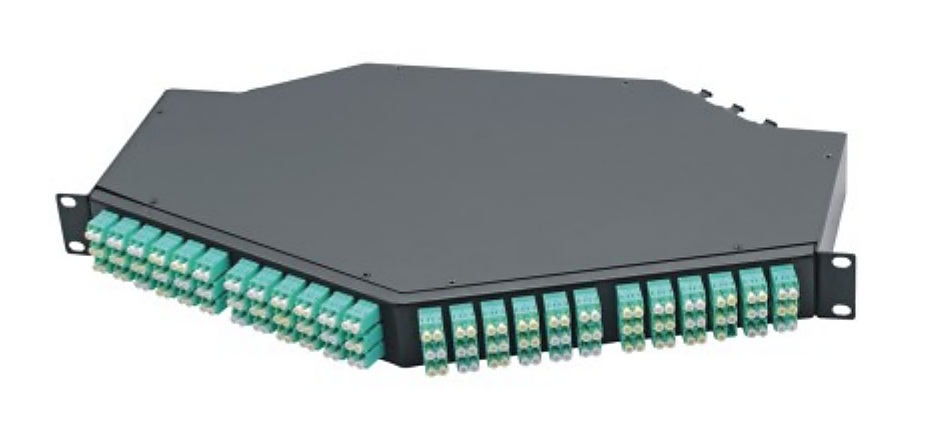
A drop-cable line may connect to a termination reference; a PLC splitter supplier line may be associated with a distribution point; and an ODF patch panel line may reference its rack or panel position. Add a fiber pigtail, fiber optic adapter or FTTH fast connector only when it is in the buyer’s scope. A short connection reference preserves the context without hiding the item’s own configuration and quantity.
Common FTTH ODN RFQ mistakes
- Using one project name as the only reference for every drop cable, splitter and panel line.
- Grouping cables, passive devices and installation accessories into a single unstructured line.
- Giving an installation location without the current line schedule or drawing revision.
- Expecting a supplier to choose an unspecified splitter ratio, package, connector interface or accessory match.
- Changing a route, panel or termination reference without marking the affected buyer line IDs.
- Leaving quantity, packing request or destination outside the RFQ handover.
Copyable FTTH ODN project BOM RFQ checklist
- Project or package name, buyer contact and issue date
- Current BOM, drawing or installation schedule revision
- Buyer line ID and change note for every requested item
- Buyer-controlled handoff reference for each route, distribution, panel or termination line
- Drop cable type, route-section length and termination reference where specified
- PLC splitter ratio, package form and interface where specified
- ODF or distribution hardware rack, panel or installation reference
- Pigtail connector, polish or color-sequence requirement where specified
- Adapter, fast connector and accessory line requirements when in scope
- Quantities, labels, packing, destination and needed commercial documents
Related FTTH and ODN sourcing pages
Send a buyer-controlled FTTH ODN BOM
Share the line schedule, handoff references, requested product configurations, quantities, packing request, destination and current drawing or BOM revision. Lumafyn can review the quotation path against those buyer-supplied requirements.
Prepare an FTTH ODN Project RFQ