
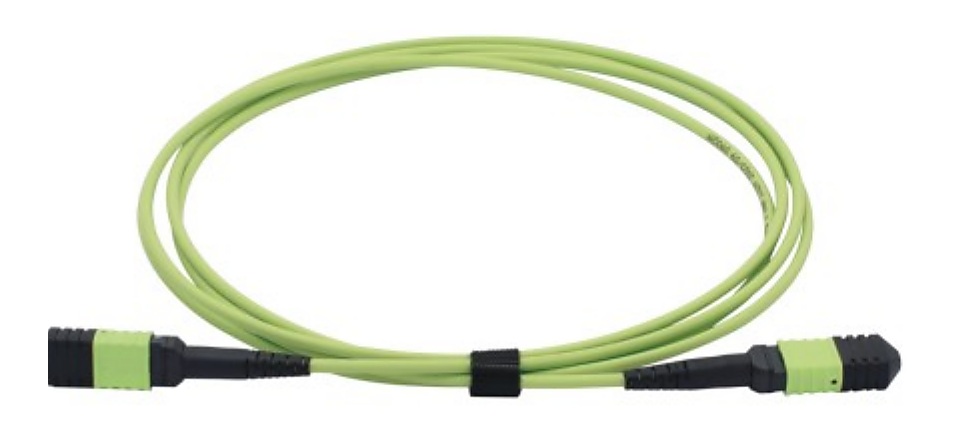
Start With the Connection Path
Terms such as “MPO cable,” “panel” or “40G module” do not by themselves show how a buyer expects the hardware to connect. Before requesting a quotation, map each link from the equipment-side interface through the cable or active interconnect to the panel, cassette or other endpoint named in the project documents. The aim is not to prescribe a network design; it is to give the supplier enough context to review each requested line against its connections.
For a MTP/MPO cable assembly supplier, a connected BOM prevents a trunk, branch harness or conversion line from being evaluated in isolation. It also makes the relationship to ODF and high-density patch panel requirements visible before the RFQ is compared across suppliers.
Use One Line per Item, With a Reference to What It Connects
How to Separate the Connected BOM
A clear request groups products by their job in the link while keeping every configuration quoteable. The MTP/MPO trunk or harness is one line family; the panel or module box is another; equipment-side AOC, DAC or optical-module requirements are separate lines. Use cross-references, not vague product names, to show that they belong to the same path.
- Passive backbone lines: record trunk, harness or pre-terminated assembly type, fiber count, fiber mode, end interfaces, polarity or mapping reference, length and quantity.
- Panel and distribution lines: record mounting format, required interface, port plan, adapter or cassette requirement, cable-entry context and quantity for the ODF or patch-panel portion.
- Equipment-side interconnect lines: record host equipment reference, speed, intended reach or cable length, interface, quantity and compatibility information to be reviewed for optical transceiver sourcing, AOC and DAC cables.
- Short patching lines: record their own connector pair, fiber mode, length and quantity instead of assuming they match the trunk or panel line.
RFQ Mistakes That Make a Data Center BOM Hard to Quote
- Using a combined “MPO + panel + module” quantity with no separate line references.
- Giving a fiber count but omitting the endpoint interface, mapping or project drawing reference.
- Listing a panel capacity without showing the intended port or module relationship.
- Adding AOC, DAC or transceiver lines without the host equipment reference and required speed, reach or cable length.
- Copying a prior BOM while leaving an old rack, port, label or length schedule in the notes.
- Assuming connected items have identical connector, fiber-mode or packing requirements when their roles differ.
Copyable Connected-BOM RFQ Checklist
- Current BOM or drawing revision and a unique line reference for every item
- Connection role and both endpoint references for each cable or interconnect line
- MTP/MPO assembly type, fiber count, fiber mode, interface and applicable polarity or mapping reference
- ODF, patch-panel or module-box mounting, interface and port-plan requirements
- Patch-cord connector pair, polish where relevant, fiber mode, length and quantity as separate lines
- AOC/DAC or optical-module host equipment, speed, reach or cable length, interface and compatibility-review details
- Labels, packing, quantity by configuration, destination country and any required related documents