
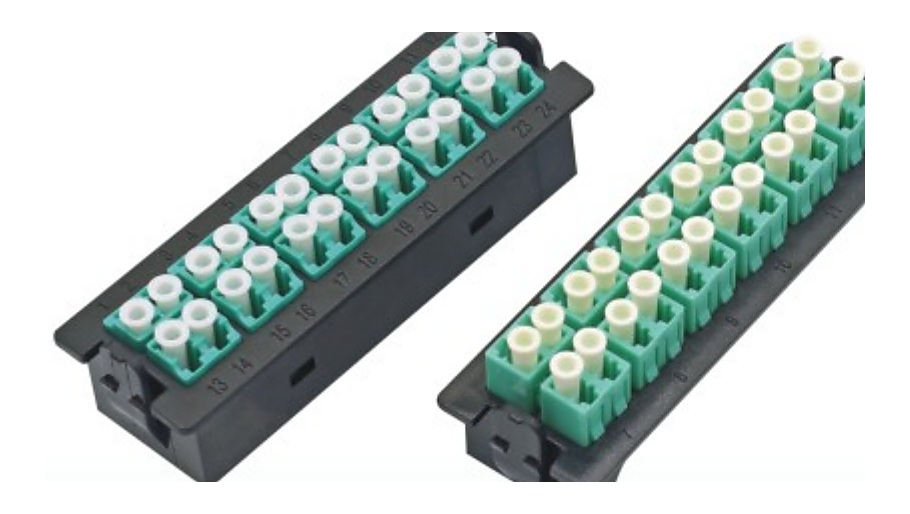
Define the ODF or Patch Panel Format
An ODF patch panel RFQ should not start only with port count. A 24-port, 48-port or 96-port request can differ by rack size, adapter interface, splice tray layout, cable entry direction, front access, rear access and the pigtail or patch cord schedule connected to the panel.
For telecom rooms, FTTH distribution points and data center cabinets, connect the ODF requirement to the cable, pigtail, adapter and labeling scope. This makes a quotation easier to review and reduces mismatch between panel hardware and fiber assemblies.
ODF Patch Panel RFQ Fields
Mounting formatRack mount, wall mount, cabinet, DIN rail or project-specific enclosure format.
CapacityPort count, adapter positions, splice capacity and expansion requirement.
Adapter interfaceLC, SC, FC, ST, UPC/APC, singlemode or multimode adapter requirement.
Pigtail scheduleConnector, polish, fiber type, buffer length, color order and quantity.
Cable entry and labelsCable route, entry direction, label requirement, port numbering and carton marks.
Quality checkVisual assembly, adapter placement, pigtail match, packing list and pre-shipment photos where required.
Quality Control Points for ODF Orders
- Confirm the ODF model, rack size, capacity and adapter type match the buyer schedule.
- Check adapter color, polish type and quantity against the BOM.
- Confirm pigtail connector, color sequence, fiber type and quantity before packing.
- Review front-panel labels, port numbering, carton marks and packing list.
- Ask for product photos or packing photos when the order is mixed or private-label.