
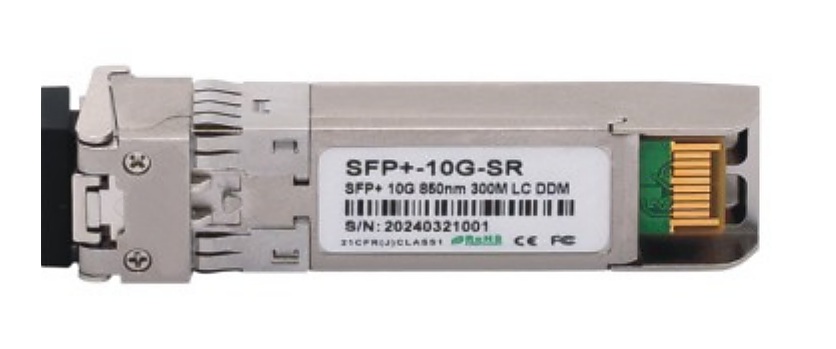
Start With the Link Role, Not a Generic Product Name
One project may have equipment-to-equipment links, short rack interconnects and fiber-cabled paths. Recording the intended link role first gives each RFQ line a clear review context. It also avoids treating an optical transceiver, an AOC/DAC cable RFQ line and a passive fiber-cabling line as if they were automatically substitutes.
This page supports Lumafyn’s optical transceiver sourcing page and connects buyers to the wider data center fiber cabling products path. It is a procurement worksheet, not a compatibility claim: the buyer remains responsible for supplying the project’s required host and approved references.
Use One Controlled Record for Each Interconnect Line
Keep the Compatibility Reference With the Buyer’s Requirement
A speed label alone does not describe every project condition. A better handover identifies the buyer’s host-equipment or approved-reference source, then records whether that reference applies to a single line or a group of lines. If the project is still being designed, label the affected field “to be confirmed” and keep it visible in the RFQ rather than allowing an assumption to enter the quote comparison.
For high-density links, pair the active interconnect line with the relevant MTP/MPO cable assembly options and ODF and high-density patch panel requirements. Use a separate line for each physical relationship the project requires.
RFQ Checklist for Optical Transceiver, AOC and DAC Lines
- Buyer line ID, document revision and required quantity.
- Requested product category: transceiver, AOC, DAC or another clearly named item.
- Host equipment and port reference supplied by the buyer.
- Required interface, speed, reach and endpoint/link-role description.
- Compatibility reference, approved model reference, drawing or other project attachment where applicable.
- For AOC or DAC: required cable length and the endpoint relationship for that line.
- For fiber-cabled paths: the related MTP/MPO polarity guide, fiber-cable or panel reference when relevant.
- Packing, labeling, destination country and a contact for technical clarification.
Common RFQ Errors That Slow the Review
Using “compatible” without a reference
Replace an unqualified compatibility request with the buyer’s host or approved-reference information. This gives the supplier a defined starting point for discussion and preserves the record for subsequent revisions.
Mixing endpoint roles on one quantity line
If links terminate at different host types, have different reach requirements or connect through different hardware, create separate lines. A line schedule is clearer than an email paragraph that compresses several scenarios into one request.
Leaving AOC/DAC lengths outside the BOM
Record cable length on the relevant AOC or DAC line. If a length schedule is pending, flag it as pending; do not assume all rack links use the same length.
Related Items to Quote Together—Only When the Project Needs Them
Connected sourcing can reduce omissions, but it should not create false compatibility statements. A data center buyer may ask to review:
- MTP/MPO trunk and harness cable lines for the fiber-cabled side of a defined link.
- ODF, patch panel or MPO module box lines when the interconnect crosses a panel or distribution point.
- Fiber optic patch cords where a documented equipment-to-panel or panel-to-panel patching requirement exists.
- BOM-based OEM/ODM sourcing support when labels, packing or a multi-line line schedule need buyer-controlled references.
Send a Reviewable Interconnect RFQ
Share your line schedule, host-port reference, link role, required interface, reach, quantity and any approved project reference. Lumafyn can discuss the transceiver, AOC, DAC and related fiber-cabling lines within the scope of your request.
Request RFQ Review